Your Linear issues,on a calendar.
Linear tracks what needs to happen. Areca is where you decide when. Drag issues into your week, and every change syncs back to Linear.
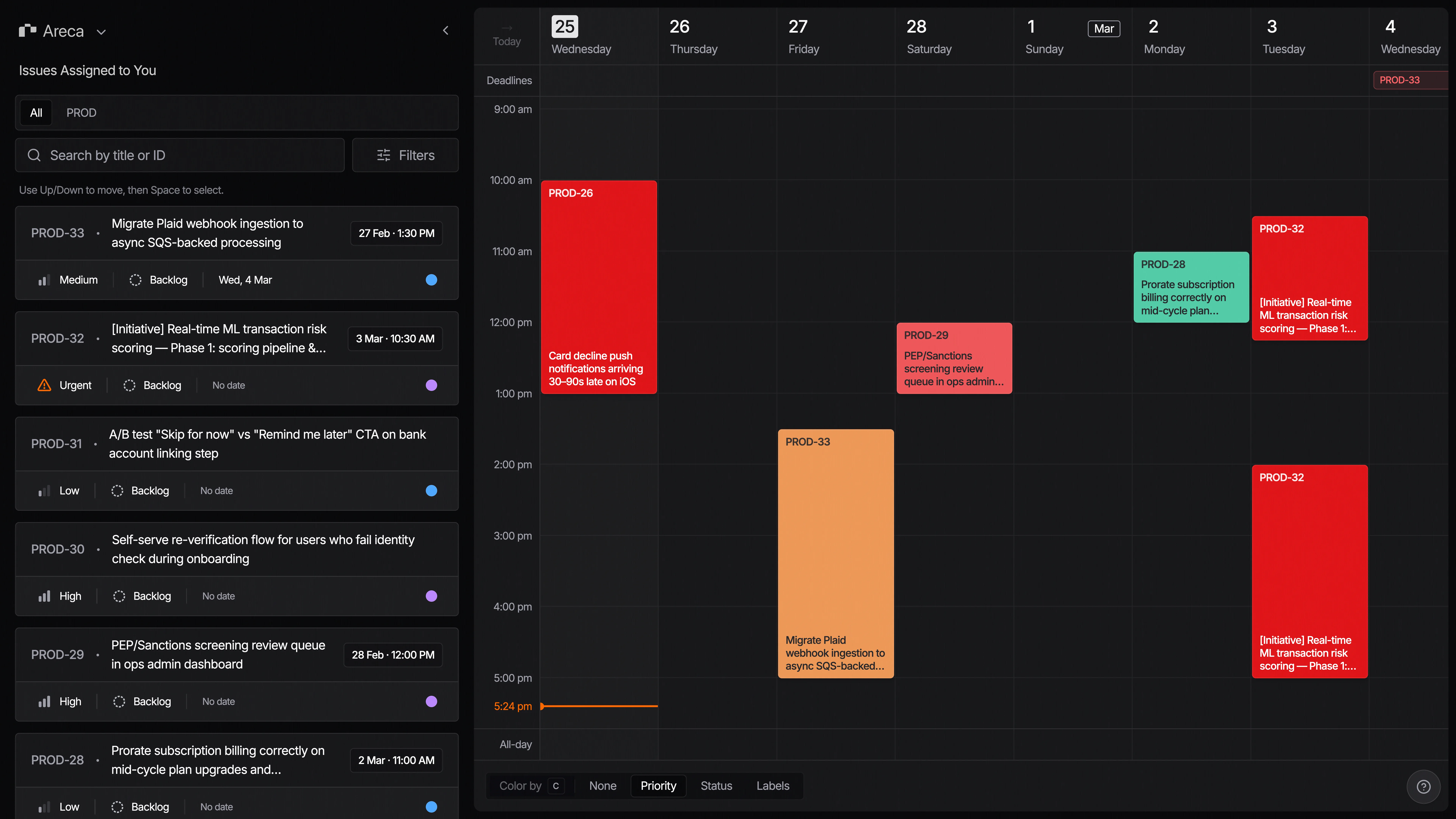
Drag issues onto your calendar
Pick an issue from your backlog and drop it on a time slot. That's the whole workflow — no date pickers, no separate to-do list to maintain.
Changes sync both ways
Update an issue in Areca and it changes in Linear. Update it in Linear and Areca follows. Your team never has to know you're using it.
Edit issues in place
Status, priority, labels, due dates — change them from the calendar, without keeping Linear open in the next tab.
Works from the keyboard
Navigate, select, and schedule with shortcuts. The mouse is optional.
Areca is in open beta. That means it's free, some edges are still rough, and what you report shapes what we build next.
Free during beta
Everything is unlocked, no credit card. Areca will be paid eventually — beta users will know the pricing before anyone else.
No waitlist
Sign in with your Linear account and you're in. No approval queue, no invite codes.
Your feedback sets the roadmap
Reports go straight to the people writing the code, not a ticket queue. What you flag is what gets fixed next.
Common questions.
The things people usually ask before signing in. Anything else? Reach out.
Try it on your actual backlog.
Sign in with Linear, your issues sync in, and you can drag the first one onto tomorrow.
Free during beta · No credit card required